Know what AI is costing you
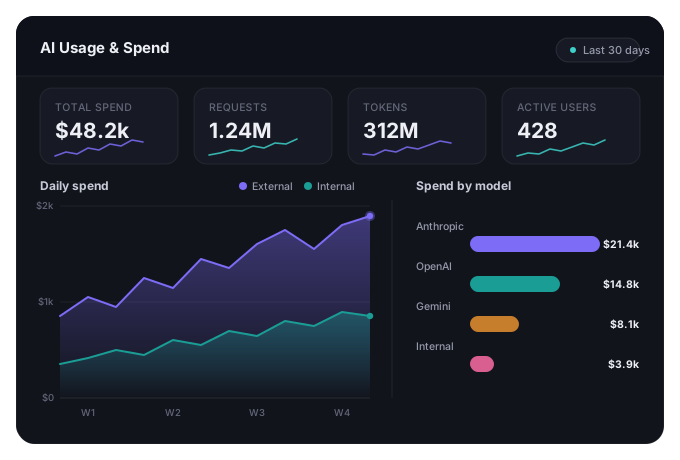
Gatelyr shows exactly where AI spend is going — by team, product, or project — and lets you set limits so a runaway bill is never a surprise at the end of the month, no matter how many teams are calling how many models.
The problem
AI spend often has no clear owner — nobody can say which team, product, or feature is driving the bill until finance flags a number that's already too large to explain.
How it helps
What this means day to day
See spend broken down by team or project
Answer "who is spending what" without pulling together spreadsheets.
Set a limit and stop overspend automatically
Get warned as a budget approaches, or cut off spending before it's blown.
Compare the cost of different models
Understand what the same workload would cost on a different model before you switch.
Give finance a straight answer
Turn AI spend into a reportable number instead of a mystery line item.
Catch a runaway workload early
Notice a spend spike from a specific team or feature the day it happens, not the month it shows up on an invoice.
Plan next quarter's AI budget with real data
Base next quarter's number on actual usage patterns instead of a guess.
Want to see this on your own use case?
Contact Us to see know what ai is costing you on real traffic.